
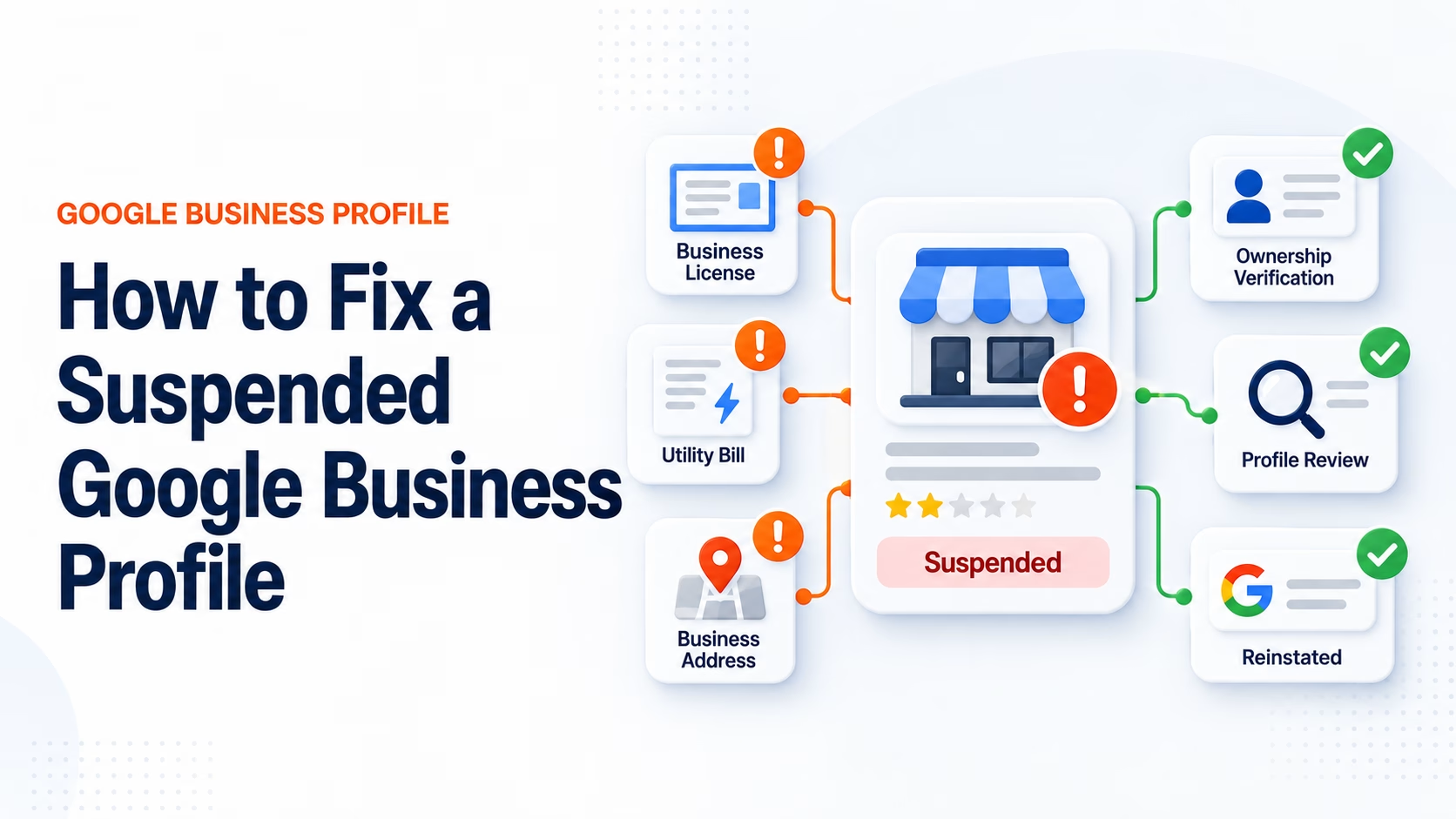
Google Business Profile Suspended? How to Fix It and Get Reinstated
You log into Google one morning and suddenly see the message no business owner wants to see:
Your Google Business Profile has been suspended.
Your listing may disappear from Google Maps. Calls can dry up. Your reviews and years of local visibility suddenly feel like they're hanging in the balance.
Then you start the reinstatement process and Google asks you to prove your business exists.
Business registration. Licenses. Utility bills. Photos. Possibly video verification.
And the natural response is: Why does Google need all of this information just to put my business back on Google?
The good news is that a Google Business Profile suspension does not necessarily mean you've intentionally done anything wrong. But Google does need to determine whether the business, location, ownership, and information shown on your profile comply with its Business Profile policies.
This guide explains how to fix a suspended Google Business Profile, why suspensions happen, what Google is actually trying to verify, and how to reduce your chances of going through the process again.
Quick Answer: How Do You Fix a Suspended Google Business Profile?
If your Google Business Profile has been suspended:
- Do not immediately create a new profile.
- Review Google's Business Profile guidelines.
- Identify what information may have triggered the suspension.
- Correct inaccurate or noncompliant information.
- Gather documentation proving your business is legitimate.
- Submit an appeal through Google's Business Profile appeals process.
- Upload supporting evidence when requested.
- Wait for Google's decision before submitting duplicate appeals.
Google states that evidence may include official business registration, business licenses, tax certificates, and business utility bills.
Most importantly, make sure the business name and address on your documentation match the Business Profile you're appealing.
Why Is My Google Business Profile Suspended?
Google may suspend or disable a Business Profile when its systems determine that the profile does not comply with Google's guidelines.
Sometimes the issue is obvious. Other times, it isn't.
Common problems can include:
- An inaccurate business name
- Adding SEO keywords to the business name
- Using an address that isn't eligible
- Improper use of a virtual office or mailing address
- Creating multiple profiles for the same business
- Incorrect service-area settings
- Significant changes to business information
- Ownership or account problems
- Incorrect business categories
- Misleading business information
- Policy violations
- A business Google cannot confidently verify
Google's central rule is simple: Your Business Profile should accurately represent your real business in the real world.
For example, if your real business name is:
NeuWeb Marketing
changing it inside Google to:
NeuWeb Marketing | Best SEO Company & Web Design Warsaw Indiana
may create problems because the extra language is not actually part of the company's established business name.
Why Does Google Want All My Information to Unsuspend My Business?
This is often the most frustrating part of the process.
You may be thinking: "I've had this company for ten years. Why do I suddenly have to prove to Google that it exists?"
Google isn't necessarily trying to verify how long you've been around. It's trying to establish several different things:
- Is this a real business?
- Does the business operate where the profile says it operates?
- Is the person managing the profile authorized to represent it?
- Is the business eligible for a Google Business Profile?
- Is the information displayed to Google's users accurate?
Different pieces of evidence answer different questions.
A business registration may establish that your company legally exists.
A utility bill may help establish a connection between your business and its location.
Permanent exterior signage can help demonstrate that customers actually visit a storefront.
A service vehicle, tools, equipment, or branded materials may help demonstrate that a service-area business actually operates as claimed.
That's why Google's reinstatement process can sometimes feel more like assembling a case than simply clicking a verification button.
Is Google Spying on My Business?
It's understandable to wonder why a search platform wants photographs, documents, location information, or video of your business.
Business Profile verification is primarily an identity, eligibility, and location verification process.
Without verification, people could easily create:
- Fake businesses
- Fake offices
- Fake service locations
- Competitor listings
- Keyword-stuffed businesses
- Lead-generation listings pretending to be local companies
That doesn't mean you should casually upload sensitive information. Provide only what Google's process requests and follow its instructions carefully.
For example, Google's video verification guidance warns businesses not to expose sensitive information such as financial, tax, or identification numbers unnecessarily during a verification recording.
Why Are There So Many Hoops to Jump Through?
Because Google Business Profiles can have significant commercial value.
Appearing prominently on Google Maps can generate:
- Phone calls
- Website traffic
- Direction requests
- Quote requests
- Store visits
- Reviews
- Leads
- Revenue
That creates a strong incentive for businesses and marketers to manipulate the platform.
Google's verification and suspension systems are designed in part to make that manipulation more difficult.
Unfortunately, legitimate businesses can occasionally get caught in those enforcement systems as well.
What Information Does Google Want for a Business Profile Suspension Appeal?
Google currently lists several examples of documentation that may support an appeal:
- Official business registration
- Business license
- Tax certificates
- Electricity bills
- Phone bills
- Cable bills
- Internet bills
- Other qualifying business utility documentation
The goal isn't simply to upload as much paperwork as possible.
Your evidence should consistently establish the same business identity.
For example:
Google Business Profile:
Elite Rocky Mountain Contracting
123 Example Road
Missoula, MT
Business Registration:
Elite Rocky Mountain Contracting
123 Example Road
Missoula, MT
Utility Bill:
Elite Rocky Mountain Contracting
123 Example Road
Missoula, MT
The more consistent your real-world business information is, the easier it is for Google to understand what entity the profile represents.
Important: Prepare Your Evidence Before You Start the Appeal
This is one of the most important parts of the process.
Google currently states that when supporting evidence is requested, businesses may have a limited window to provide that evidence after opening the submission form.
Don't begin the process and then start searching your office for documentation.
Create a folder beforehand containing items such as:
- Business registration
- Business licenses
- Utility bills
- Tax documentation
- Exterior business photos
- Permanent signage photos
- Vehicle branding
- Relevant professional licenses
- Website information
- Proof that your business operates from the stated location
Then begin the appeal process.
Should I Create Another Google Business Profile?
Usually, no.
One common reaction to a suspension is: "I'll just create another listing."
That can create additional problems.
Google advises businesses not to create another profile for the same business while an appeal is being reviewed.
Duplicate profiles can lead to additional suppression, verification, or ownership issues.
How to Appeal a Suspended Google Business Profile
Step 1: Log Into the Correct Google Account
Use the Google account associated with the affected Business Profile.
If several employees, agencies, or Gmail accounts have managed the listing, verify that you're using the correct account.
Step 2: Review the Suspension Information
Open Google's Business Profile appeals tool.
You may see information such as:
- The affected profile
- The moderation decision
- The policy involved
- Whether the decision is eligible for appeal
Step 3: Review Your Entire Profile
Compare the listing against Google's official guidelines.
Business Name
Use the real-world business name. Don't add unnecessary city names, services, taglines, or keywords.
Address
Use an eligible real-world business location.
Service Area
If customers do not visit your address, configure the listing properly as a service-area business.
Categories
Choose categories that describe what the company actually is.
Phone Number
Use a number controlled by the business.
Website
Link directly to the legitimate company website.
Hours
Display real customer-facing operating hours.
Duplicate Listings
Verify that multiple profiles have not accidentally been created for the same business.
Storefront Businesses vs. Service-Area Businesses
This distinction causes a surprising number of Google Business Profile issues.
Storefront Business
Customers physically come to your location.
Examples include:
- Restaurants
- Retail stores
- Dental offices
- Auto repair shops
Service-Area Business
You travel to the customer.
Examples include:
- Roofers
- Plumbers
- Electricians
- Landscaping companies
- Mobile detailing businesses
A service-area business can legitimately operate from a residential address, but the address should generally be hidden if customers are not served there.
Don't create fake offices throughout every city you serve.
Your service area communicates where you work. It does not create additional physical business locations.
How Does Google Business Profile Video Verification Work?
Depending on your business and Google's available verification methods, Google may ask for video verification.
Verification methods are selected by Google and can vary by business.
Google may try to establish:
- Your physical or service location
- That the business actually exists
- That you are authorized to manage the business
For a Storefront Business
You might show:
- Street signs
- Nearby businesses
- Your building exterior
- Permanent signage
- Your interior workspace
- Equipment
- Employee-only areas
For a Service-Area Business
You might show:
- Tools
- Equipment
- Work vehicles
- Branded materials
- Business documentation
- Access to business resources
Is Appealing Seriously the Only Way?
If the Business Profile has been formally suspended or disabled and Google provides an appeal option, the official appeal process is the proper path toward reinstatement.
There isn't a legitimate secret button that an SEO agency can press to force Google to restore the listing.
Be cautious of companies promising "guaranteed Google Business Profile reinstatement."
A knowledgeable local SEO professional can identify likely policy problems, organize evidence, correct profile information, and help you submit a stronger appeal.
They cannot force Google to approve it.
What If Google Rejects My Appeal?
Don't immediately start randomly changing everything.
Instead, evaluate:
- What policy was cited?
- Did your documents match the profile?
- Was the address eligible?
- Was the business name accurate?
- Was proper signage present?
- Was the company configured correctly as storefront or service-area?
- Are duplicate profiles present?
- Did you provide sufficient evidence?
- Does your website match the Business Profile?
Fix the underlying compliance issue before submitting additional information.
How Can I Prevent My Google Business Profile From Getting Suspended Again?
There is no way to guarantee that Google will never review or suspend a profile.
You can, however, reduce unnecessary risk.
1. Stop Treating Your Business Name Like an SEO Field
Your name is your name.
Don't turn: Smith Roofing into: Smith Roofing | Best Roof Replacement & Storm Damage Contractor Fort Wayne Indiana
2. Keep Your Business Information Consistent
Keep your core information aligned across:
- Google Business Profile
- Website
- Business registration
- Licenses
- Major directories
- Social profiles
- Signage
- Utility documentation
3. Don't Create Fake Locations
Serving a city does not mean you have a physical location there.
4. Avoid Duplicate Profiles
Don't create different listings for different services if they are all part of the same company.
5. Keep Your Website Accurate
Your website should reinforce the same business identity shown in Google.
6. Maintain Real-World Proof of Your Business
Maintain appropriate documentation such as:
- Registration
- Licenses
- Signage
- Utility accounts
- Insurance
- Vehicles
- Equipment
- Office branding
How to Set Up a Google Business Profile Correctly
Business Name
Enter your real-world business name.
Primary Category
Choose the category that most accurately describes the main business.
Secondary Categories
Add only relevant categories.
Address
Enter an eligible physical location.
Service Area
Add the areas your company legitimately serves.
Phone Number
Use a phone number controlled by the business.
Website
Link directly to the business website.
Hours
Use genuine customer-facing hours.
Services
Add the company's real services.
Description
Write a natural explanation of the company instead of stuffing the description with repetitive keywords.
Photos
Upload real photos of:
- Your team
- Your location
- Your work
- Vehicles
- Products
- Office
- Storefront
The objective isn't simply to "optimize Google."
The objective is to create a Business Profile that both Google and customers can confidently recognize as an accurate representation of a real company.
The Bigger Lesson: Build an Entity Google Can Understand
This is where Google Business Profile management overlaps with local SEO.
A strong local company should leave a consistent digital footprint.
Google should repeatedly encounter the same business across:
- Your website
- Google Business Profile
- Business directories
- State registrations
- Social platforms
- Industry organizations
- Customer reviews
- Local mentions
When all of those sources point toward the same business, Google has an easier time understanding the entity behind the listing.
That's why good local SEO isn't simply about inserting keywords.
It's about building trust, consistency, relevance, and authority around a real business entity.
Frequently Asked Questions About Google Business Profile Suspensions
Why was my Google Business Profile suspended?
Google may suspend profiles that violate Business Profile policies or contain information its systems cannot confidently validate. Common problems include business-name issues, addresses, duplicate profiles, ineligible locations, misleading information, and other policy violations.
How do I fix a suspended Google Business Profile?
Review Google's guidelines, identify and correct compliance problems, gather documentation proving the legitimacy of your business, and submit an appeal through Google's Business Profile appeal process.
Why does Google want utility bills and business documents?
Supporting documents can help Google verify that the business exists, that its information is accurate, and that the profile legitimately represents the company and location being claimed.
Does Google require documentation for every suspension?
Not necessarily. Verification and appeal requirements can vary by business and situation.
How long does a Google Business Profile appeal take?
Google's review times vary. Follow the current timeline shown in Google's appeal system for your individual case.
Can I create a new Google Business Profile after being suspended?
Avoid creating another profile for the same business while the existing suspension or appeal is unresolved.
Can I guarantee my Google Business Profile will never be suspended?
No. However, accurately representing the business, following Google's guidelines, maintaining consistent information, and avoiding manipulative local SEO tactics can reduce avoidable risk.
Should I hire someone to fix my Google Business Profile suspension?
An experienced local SEO professional can help diagnose compliance problems, organize documentation, correct listing information, and guide the appeal process. No agency can legitimately guarantee Google's final decision.
Need Help With a Suspended Google Business Profile?
Google Business Profile suspensions are stressful because local visibility can directly affect phone calls, leads, and revenue.
But don't start randomly changing your profile or creating duplicate listings.
Start with the facts. Identify what Google is questioning. Correct the issue. Document that your business is legitimate. Then submit a clean, well-supported appeal.
At NeuWeb Marketing, we help businesses diagnose problems across websites, Google visibility, local SEO, marketing systems, and digital presence.
Rather than guessing at what's wrong, we look at the underlying structure and available data to identify what is actually preventing growth.
If your Google Business Profile has been suspended—or you're concerned that your current profile isn't configured correctly— contact NeuWeb Marketing.
Official Google Business Profile Resources
Fix suspended or disabled profiles
Google Business Profile Help
Appeal Business Profile content and profile restrictions
Google Business Profile Appeals
Resolve duplicate profiles and ownership issues
Google Duplicate Profile Help
Guidelines for representing your business on Google
Google Business Profile Guidelines
Prohibited and restricted Google Business Profile content
Google Content Policies
Overview of Google Business Profile policies
Google Business Profile Policies